ADT Security System Battery Replacement and Troubleshooting Guide
| PHT Security Team
Why Your ADT Battery Deserves More Attention
A security system is only as reliable as its backup power. Most people never think about the battery inside their ADT panel. It usually sits there quietly until it starts chirping in the middle of the night or fails during a power outage. That small component is what keeps your alarms, door sensors, and locks online when the grid goes down. That is exactly when you need your system to work.
This guide breaks down everything you need to know about ADT security system batteries. We will cover the specific models inside your panel, how long they actually last, how to swap them safely, and how to quiet that annoying low battery beep without accidentally triggering an emergency dispatch. Whether you want to handle this yourself or decide to call a technician, you will find the practical answers here.
How ADT Backup Power Actually Works
Every ADT control panel uses a rechargeable backup battery. This includes newer touchscreens and older keypad systems alike. This battery is not there to run the system daily. Your home wall outlet handles that. Instead, the battery serves as your emergency power reserve. It kicks in instantly the moment your electricity cuts out.
Without a working battery, you run into immediate issues:
- Your panel shuts down almost immediately during a blackout
- Emergency signals cannot reach the central monitoring station
- Security cameras, smart locks, and window sensors drop offline
- The keypad displays constant trouble codes and low battery alerts
The backup battery is the only thing standing between a fully functional alarm and an expensive wall ornament when a storm hits.
Common ADT Battery Models and Lifespans
Battery specs change depending on the specific equipment installed in your home. Below is a breakdown of the common setups found in ADT systems.
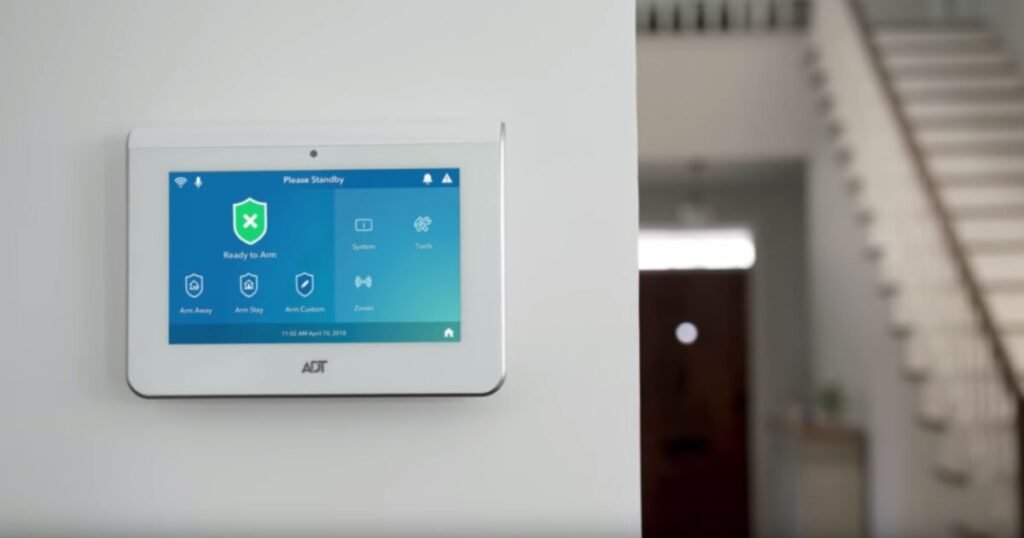
ADT Command Touchscreen
- Battery Type: Rechargeable lithium ion pack
- Expected Lifespan: 4 to 6 years
- Physical Location: Tucked directly inside the touchscreen enclosure
Impassa and DSC Panels
- Battery Type: 7.2V nickel metal hydride pack
- Expected Lifespan: 3 to 5 years
- Physical Location: Located inside the main control unit housing
Legacy Safe watch and Quick Connect Systems
- Battery Type: 12V sealed lead acid battery
- Expected Lifespan: 3 to 5 years
- Physical Location: Inside a metal cabinet, usually mounted in a closet or utility room
Wireless Door and Window Sensors
- Battery Type: CR123A or CR2 lithium cell
- Expected Lifespan: 3 to 7 years
- Physical Location: Inside the individual sensor casing
Motion Detectors and Glass Break Sensors
- Battery Type: CR123A lithium cell
- Expected Lifespan: 4 to 6 years
- Physical Location: Inside the detector unit itself
Lithium ion packs inside the ADT Command touchscreen are the most common replacements today. Older sealed lead acid options are still active in homes with legacy hardware. These older lead acid batteries tend to degrade much faster if they are exposed to extreme temperature swings in garages or damp basements.
Real World Battery Lifespan Factors
While manufacturers claim these batteries last up to six years, actual performance varies based on your environment:
- Power Outage Frequency: Every single time the battery drains and recharges, it loses a bit of its maximum capacity.
- Ambient Temperatures: Storing a panel in a hot garage or near drafty areas shortens the lifespan of the cells.
- Battery Chemistry: Modern lithium ion packs inherently hold up better over time than older nickel or lead options.
- System Age: Panels over eight years old sometimes drain batteries faster due to aging internal circuitry.
If your system is past the three year mark, testing the backup battery proactively is much better than waiting for an emergency alert.
How to Stop an ADT System from Beeping
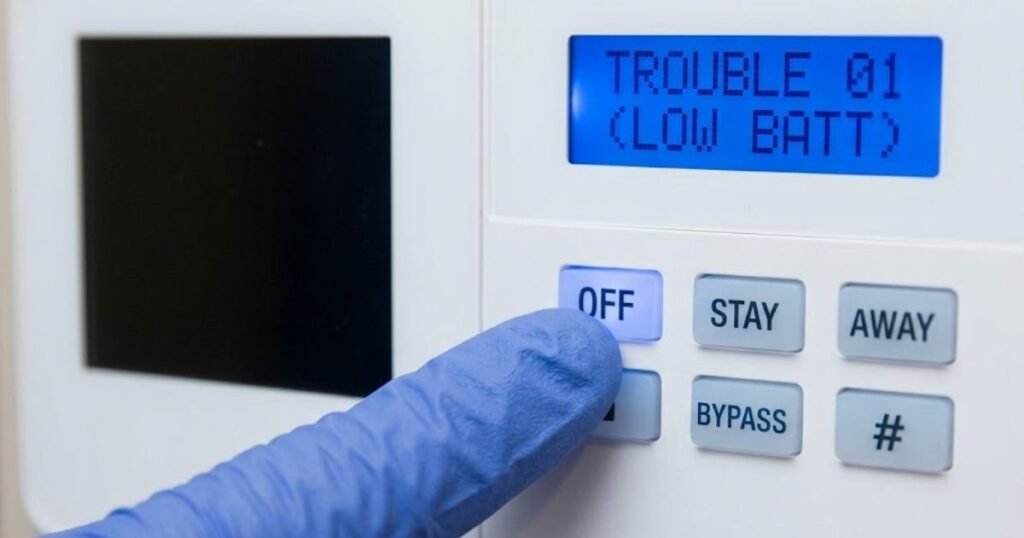
That repeating chirp every thirty seconds is how your panel warns you that the backup battery is failing. Here is how you silence it:
- Mute the Alert: Enter your security code and press the OFF key. If you have a different keypad style, pressing the pound key often silences the noise.
- Clear the Error: Press the trouble button or hold down the asterisk key to clear the visual alert on your screen.
- Be Prepared for it to Return: This mute is temporary. The warning chirp will turn back on within 24 to 48 hours if you do not replace the physical battery.
- Swap the Battery: Silencing the alarm only buys you time. The only permanent fix is putting a new battery in the system.
Important Safety Step: Before opening your panel, log into your my ADT account or app and place the entire system into test mode. This ensures you do not send a false panic signal to emergency services while working on the wires.
Can You Replace an ADT Battery Yourself
Yes, you can. For almost all common panels, the process is incredibly straightforward and requires only basic tools.
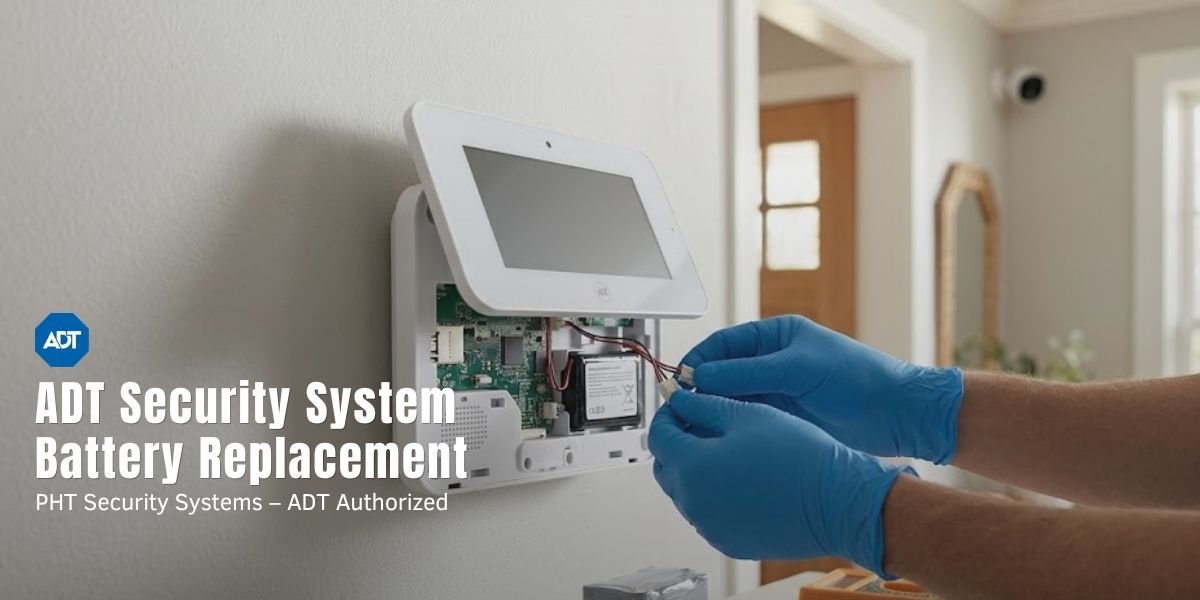
Swapping the Battery in an ADT Command Touchscreen
This job takes about ten minutes. Always make sure your replacement battery matches the voltage and plug style of your original unit. Using an incorrect battery can permanently damage the panel motherboard.
- Go to your touchscreen settings menu, select Tools, tap Advanced, and choose System Shutdown to safely turn off the device.
- Use a screwdriver to remove the small screw holding the panel cover in place.
- Unplug the plastic wiring harness connecting the old battery pack to the motherboard.
- Place the new battery pack into the plastic slot and press the wiring connector firmly into the port.
- Snap the back cover back into place, tighten the security screw, and turn the power back on.
Swapping Legacy Cabinet Batteries
If you have an older system with a large metal cabinet in a closet, the process is very similar to changing a car battery. Open the cabinet, disconnect the black wire first, then the red wire. Slide the old lead acid battery out. Put the new battery in, connect the red wire first, then the black wire, and close the cabinet door.
Once you finish, run a manual system test to verify your panel communicates properly with the ADT monitoring center.
Does ADT Cover the Cost of Replacement Batteries
Your out of pocket cost depends entirely on your current service agreement:
- With a Service Plan: Many active maintenance plans cover one free system battery replacement every year. You can request this directly through your online account.
- Without a Service Plan: You will need to purchase the battery yourself. Prices typically run between 30 and 80 dollars depending on your specific panel model.
- Local Dealers: If you bought your system through an authorized local dealer, they can often supply the correct battery quickly and offer fast on site installation.
Checking your online account contract terms is the easiest way to see if you qualify for a free replacement.
What Happens If Your ADT Battery Dies Completely
Allowing a backup battery to die completely exposes your home to serious security gaps:
- Zero Power Backup: If your neighborhood loses power, your home security system shuts down immediately.
- No Emergency Monitoring: The panel cannot transmit alarm signals to the monitoring team during a blackout.
- Sensor Dropouts: Your wireless door, window, and motion sensors may fail to connect to the main panel.
- Endless Beeping: The keypad will chirp constantly until you install a working power source.
A dead battery turns a premium home security system into a useless plastic box the second your power grid fails. Replacing a weak battery before it dies completely is essential to keeping your home secure.
Battery Care for Wireless Sensors and Cameras
Your main panel is not the only device running on battery power. Your door contacts, glass break sensors, and security cameras need attention too. Use these tips to get the most out of them:
- Check the battery levels inside the ADT app regularly instead of waiting for a low battery warning.
- Avoid installing sensors in uninsulated areas like sheds or drafty entryways because extreme cold drains lithium cells rapidly.
- Wipe down the metal contact terminals inside the sensors if you live in a humid area to prevent corrosion from blocking the electrical current.
- Replace sensor batteries in groups because devices installed at the same time will generally fail around the same time.
Wireless security cameras draw far more power than basic window sensors. High resolution video settings, poor wireless signals, and frequent motion triggers will drain a camera battery much faster than normal.
When to Upgrade Your Security System
Sometimes, a battery that refuses to hold a charge is a sign of older, failing hardware. You should consider a full system upgrade if:
- Your security panel is older than eight years.
- You find yourself replacing system batteries every single year.
- Your current panel relies on outdated cellular networks that are scheduled for retirement.
- You are remodeling your home and need more sensor zones than your current hardware can handle.
In these situations, upgrading to a modern security system is often more practical and cost effective than keeping an aging panel on life support.
Frequently Asked Questions
Can I replace my ADT battery myself?
Yes. Changing the battery in a modern touchscreen or an older metal cabinet takes less than fifteen minutes. If you prefer not to open the equipment yourself, you can schedule a quick service visit with a professional technician.
What battery does an ADT system use?
It varies by model. Newer ADT Command touchscreens use rechargeable lithium ion packs. Legacy setups use 12 volt sealed lead acid batteries or 7.2 volt nickel metal hydride packs. Wireless wall sensors typically run on CR123A or CR2 lithium cells.
How do I stop my ADT panel from beeping?
Type in your master security code and press the OFF key, or tap the pound key on your keypad. This mutes the alarm temporarily, but the sound will return within 48 hours if you do not replace the dead battery.
Does ADT provide free batteries?
If you pay for a premium maintenance plan, ADT will typically send you one free replacement battery per year. If you do not have this plan, a new battery will cost between 30 and 80 dollars.
What happens if the backup battery dies completely?
Your security system will have no protection during a power outage. The panel will turn off immediately when the power goes out, leaving your home completely unmonitored.
How often should I swap my ADT backup battery?
Most system batteries last between three and six years. We recommend testing your backup battery once a year to ensure it is healthy enough to handle an unexpected blackout.
Do individual sensor batteries wear out quickly?
No. Door, window, and motion sensor batteries are highly efficient and routinely last between three and seven years before needing replacement.

PHT Security Team
We believe everyone deserves to feel safe at home and at work. Our team shares practical security advice, helpful resources, and the latest insights on ADT systems, security cameras, smart home technology, and commercial security to help you make informed decisions. Whether you’re exploring your first security system or upgrading your current setup, we’re here to help you protect what matters most.
PHT Security Team
we believe everyone deserves to feel safe at home and at work. Our team shares practical security advice, helpful resources, and the latest insights on ADT systems, security cameras, smart home technology, and commercial security to help you make informed decisions. Whether you’re exploring your first security system or upgrading your current setup, we’re here to help you protect what matters most.