Best Commercial Security Camera Systems: Comparison & ROI Guide
| PHT Security Team
Nobody shops for security cameras on a calm Tuesday. Usually it’s after a break-in, or an insurance adjuster asking why the loading dock wasn’t covered, or a slip-and-fall claim that turns into a dispute with no footage to settle it. If that’s how you landed here, you’re not behind, you’re just doing it the way most people do.
This guide covers the different types of commercial camera systems, how the major brands actually compare (including ADT, since that’s usually the first name that comes up), and what a properly installed commercial camera system actually costs in 2026, along with how to work out whether the investment pays for itself. There’s also a section on what changes if your property is in the Houston area, because heat, humidity, and Harris County permitting rules affect this decision more than most national buying guides bother to mention
Why a Home Camera Isn’t a Business Camera
It’s tempting to start with the same doorbell camera or Wi-Fi kit sold for houses. A lot of business owners do. A lot of them end up replacing that system within a year.
Commercial-grade setups are built for a different job. They record continuously instead of relying only on motion triggers, so you get a full timeline instead of scattered clips. They let you manage a dozen or more cameras from one dashboard instead of juggling separate apps for each one. And ideally, they connect with your access control and alarm systems, so everything reports back to a single place rather than three unrelated logs.
That last piece gets overlooked constantly, but it’s usually what matters most when something actually happens. If your cameras and your door access logs don’t talk to each other, you’re stuck manually lining up two separate records after the fact instead of pulling up one clear picture of what occurred.
The Main Types of Commercial Cameras
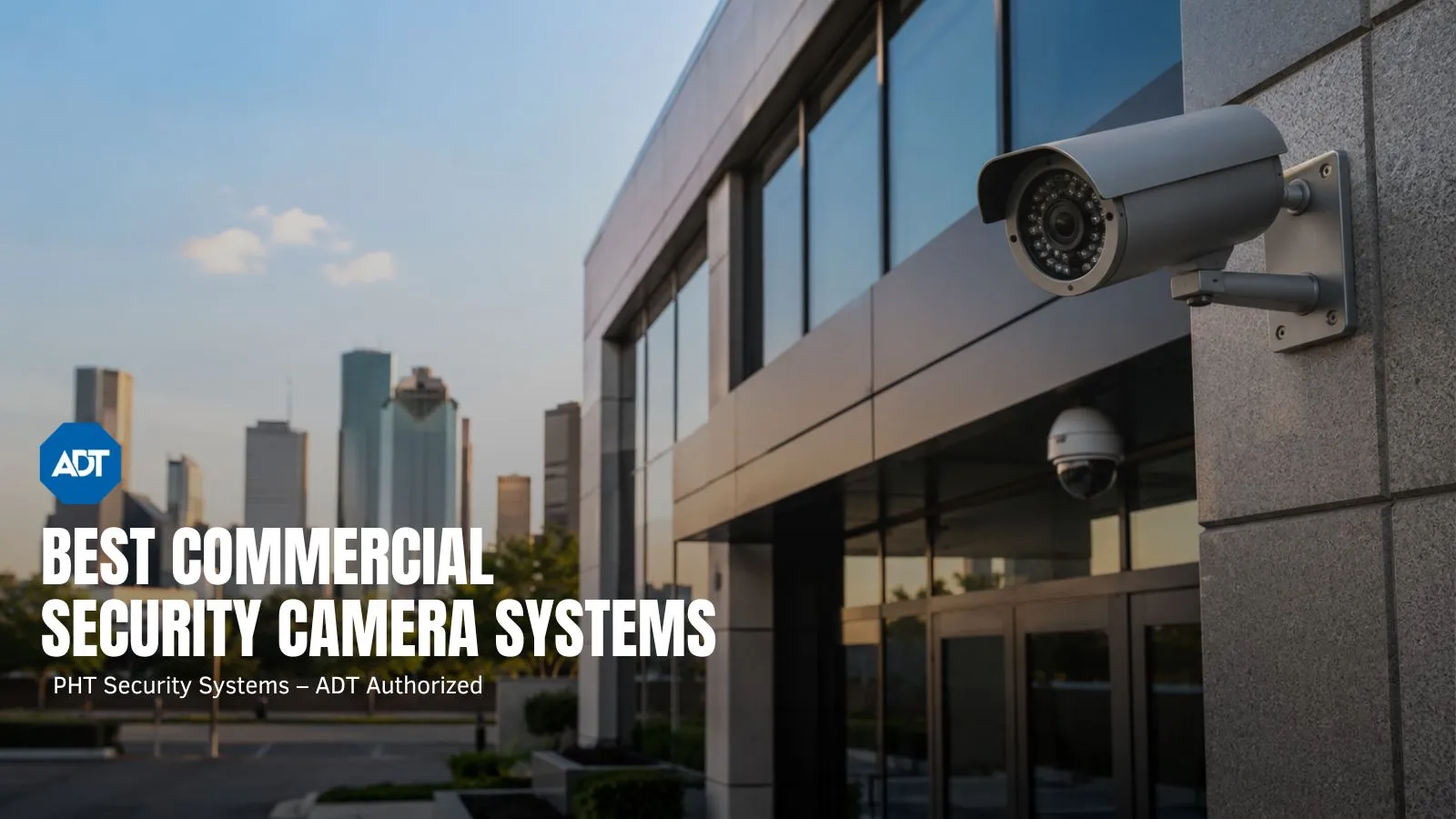
There’s no single “best” camera, honestly. Cameras are just one piece of a wider commercial security system, but they’re usually the first one businesses install. The right pick depends on your building, your budget, and what you plan to do with the footage. A handful of shapes and formats show up again and again in commercial installs, so it helps to know what each one is actually for.
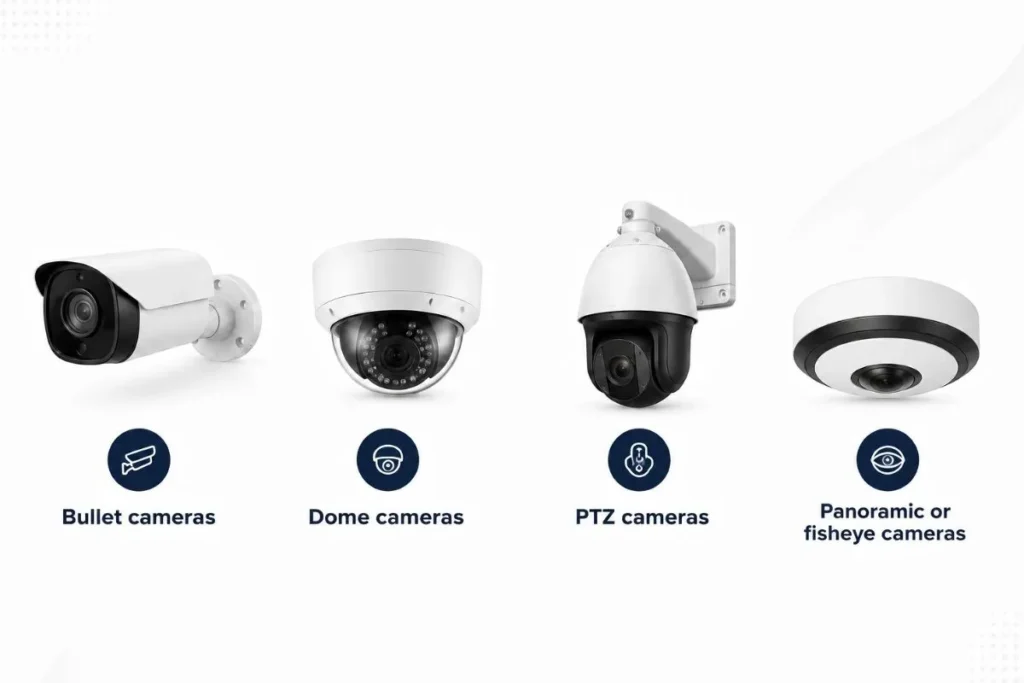
Dome cameras have a low, rounded housing that’s harder to tamper with and less obvious to spot. Common on retail floors, lobbies, and hallways, anywhere you want coverage without it feeling like you’re being watched.
Bullet cameras are the long, cylindrical style mounted on the outside of buildings and along parking lots. They handle distance well, which makes them a natural fit for perimeters and entry points.
Panoramic or fisheye cameras capture a full 360-degree view from a single fixed spot, so one unit can cover an entire room. Useful in open floor plans where you’d otherwise need three or four separate cameras.
PTZ cameras (pan-tilt-zoom) can be steered remotely and zoomed in on something specific. Popular in large lots or warehouses where a security team needs to actively track movement as it happens, rather than just record it.
Beyond shape, there’s the wired-versus-wireless question. Wired systems, usually running on PoE (power over ethernet), tend to be more reliable and are the standard for most commercial jobs, though they need professional installation. Wireless systems go up faster and move easily, but picture quality and uptime lean on your Wi-Fi signal, and that’s not something you want to be gambling on during an actual break-in.
How ADT Stacks Up Against Other Commercial Camera Brands
Once you get past camera shapes, the next question is usually which company to actually go with. The market roughly splits into two groups: brands that sell you hardware and leave monitoring up to you, and companies built around live, staffed monitoring with hardware as part of the package. ADT falls into the second group, and that changes what it’s really being compared against.
| Provider | Best fit | Monitoring | Installation | Where it stands out |
|---|---|---|---|---|
| ADT | Businesses that want someone actively watching the system, not just recording it | 24/7 professional monitoring, live agent response, video verification | Professional | Established monitoring network and faster emergency dispatch through verified alarms |
| Avigilon | Larger facilities that need enterprise-level AI analytics | Self-monitored through a VMS | Professional | Strong object detection, NDAA-compliant hardware for government or regulated sites |
| Axis Communications | Businesses that care most about camera hardware itself | Self-monitored | Professional | One of the original IP camera makers, known for durability |
| Lorex | Budget-conscious businesses that want to own the hardware outright | Self-monitored, no required subscription | DIY or professional | Broad model range, free local recording, no mandatory monthly fee |
| Verkada | Multi-location businesses that want everything on one cloud dashboard | Self-monitored, cloud-based | Professional | Easy to manage several sites from a single login |
If you’re comparing purely on camera specs, Lorex and Axis can genuinely out-spec ADT on paper, and Avigilon wins outright on AI analytics for large sites. What none of those brands include, though, is someone actually watching for an alert at 2 a.m. That’s the part ADT is built around. A monitored system means a real person looks at the trigger within seconds of it happening, instead of whoever happens to check the app later that morning.
For a lot of Houston businesses, particularly retail and offices that don’t have their own security staff, that’s really the whole point of having a system. Cameras that only record are useful after something’s already gone wrong. A monitored system is useful while it’s still happening.
Cloud Storage or On-Site Storage?
This decision shapes both your upfront cost and your monthly bill, so it’s worth thinking through separately from the brand question.
On-premise systems store footage locally on an NVR or DVR. You own the hardware outright, retention length is limited only by your storage capacity, and there’s no ongoing subscription. The downside is slower scalability and no remote access unless the system is specifically built for it.
Cloud-based systems store footage off-site and usually offer instant scalability plus remote viewing from anywhere. That convenience comes with a recurring monthly fee, and your access depends on the internet staying up.
Plenty of commercial installs land somewhere in between now: local storage as a backup, cloud sync for remote access and redundancy. Ask any installer directly which model they’re proposing and why. If they can’t explain the tradeoff clearly, that’s a red flag on its own.
What a System Actually Costs in 2026
Pricing swings quite a bit, mostly based on camera count, resolution, and how much cabling work your building needs.
As a planning number, figure somewhere around $250 to $600 per camera installed for a typical office or retail job. A small business running four to eight cameras usually lands in the $2,400 to $5,700 range. A mid-sized operation with 8 to 20 cameras tends to fall between $5,700 and $13,500. Larger or multi-building properties can run well past that.
That’s before ongoing costs. Cloud storage and professional monitoring add a monthly line item, so compare systems on total cost over three to five years rather than the number on the first invoice. A cheap system with expensive recurring fees can end up costing more over time than a pricier one with efficient software behind it.
One thing that rarely comes up in generic pricing guides: Section 179 of the tax code lets many businesses deduct the full cost of a qualifying security system in the year it’s installed, instead of depreciating it over several years. A quick call to your accountant before finalizing a budget can change the math more than you’d expect.
Is the Investment Actually Worth It?
Cameras get treated as a pure expense far too often. In practice, they tend to pay for themselves faster than people assume, once everything they actually affect gets counted.
Insurance is usually where savings show up first. Many commercial carriers offer premium discounts, often somewhere in the single digits up to around 15 to 20 percent, for verified surveillance and monitored alarms. The exact number depends entirely on your policy and carrier, so call and ask rather than guessing.
Shrinkage is the next piece. Retail and warehouse operations regularly see a measurable drop in inventory loss once cameras are visibly in place. Rob Gabriele, Managing Editor and home security expert at SafeHome.org, notes in his review of business camera systems that features like activity zones, which cut down on false alerts, matter because a system that constantly cries wolf eventually gets ignored. And an ignored system isn’t protecting anything.
There’s also the claims side. One liability dispute that gets resolved in a day because footage settled the question, instead of dragging into a contested back-and-forth for weeks, can offset a real chunk of a system’s cost in a single event.
Add it up, and most commercial properties recover the cost of a camera system within one to three years. That’s before even factoring in the harder-to-measure stuff, employees behaving differently when they know they’re accountable, customers feeling safer walking in the door.
What Changes for a Houston Property
Heat and humidity change more than people expect. Outdoor equipment takes a beating here that it wouldn’t in a drier climate, and an IP66 weatherproofing rating isn’t just a line on a spec sheet in this city. It gets tested every summer, then again every hurricane season. If your system depends on power during storm-related outages, pairing it with backup power or generator integration is worth sorting out before the first outage, not after.
Property mix matters too. Houston’s commercial landscape covers a lot of ground, retail near the Galleria, warehousing close to the Port of Houston, office parks out toward Sugar Land and The Woodlands. A generic camera package rarely fits all of these well. Coverage should be built around your actual entry points and blind spots, not a template pulled off a shelf.
And then there’s local code. Harris County and the surrounding municipalities have specific requirements tied to fire alarm integration and NFPA 72 standards. A local installer who already knows these rules saves you from a failed inspection later, something an out-of-state contractor or a national call center is more likely to miss.
Choosing Who Installs It
The hardware only matters if it’s set up correctly. Before signing anything, confirm the installer is licensed and insured to work in Texas, that they’ll actually walk your property before quoting a number instead of guessing over the phone, and that they can explain plainly what happens after an alert fires, including who’s watching it and how fast they respond.
Contract terms and monthly monitoring fees should be laid out clearly upfront. If a quote feels vague on any of that, ask more questions before committing to anything.
Get a Local Assessment in Houston
PHT Security is a licensed ADT Authorized Dealer serving Houston, League City, Missouri City, Pearland, Friendswood, Fresno, and Pasadena. The team builds commercial video surveillance, access control, and 24/7 monitored alarm systems around the actual layout of your property, not a package pulled off a price sheet.
Every commercial project starts with a free, no-obligation walk-through to spot vulnerability points before any equipment gets recommended. Call (281) 272-5276 or request a free assessment online.
Quick Answers
How many cameras does a small business need?
Most small retail spaces get solid coverage with four to eight cameras, focused on entrances, registers, and stockrooms. Larger warehouses or multi-tenant buildings often need well beyond that. A site walk-through is really the only way to get an accurate number for your layout.
How long is security footage usually kept?
Thirty days is a common minimum for general commercial use. Higher-risk businesses, cash-handling operations or high-value inventory sites, often push retention to 60 or 90 days.
Is cloud storage better than local storage?
Neither wins across the board. Cloud storage is better for remote access and redundancy if hardware gets damaged. Local storage wins on cost and control since there’s no recurring subscription. Plenty of businesses run both at once.
Do commercial cameras actually lower insurance costs?
Often, yes, though the size of the discount depends entirely on your insurer and policy. Worth a direct call to your carrier rather than assuming a number going in.
Is ADT better than buying a standalone camera brand?
It depends on what you actually need. If you want owned hardware and don’t mind monitoring it yourself, a brand like Lorex or Axis can work fine. If you want a real person responding to alerts around the clock, ADT’s monitoring is the piece those brands don’t offer on their own.

PHT Security Team
We believe everyone deserves to feel safe at home and at work. Our team shares practical security advice, helpful resources, and the latest insights on ADT systems, security cameras, smart home technology, and commercial security to help you make informed decisions. Whether you’re exploring your first security system or upgrading your current setup, we’re here to help you protect what matters most.
PHT Security Team
we believe everyone deserves to feel safe at home and at work. Our team shares practical security advice, helpful resources, and the latest insights on ADT systems, security cameras, smart home technology, and commercial security to help you make informed decisions. Whether you’re exploring your first security system or upgrading your current setup, we’re here to help you protect what matters most.