Home Security Cameras Houston: 7 Costly Mistakes to Avoid Before You Buy
| PHT Security Team
Shopping for home security cameras Houston homeowners can actually rely on sounds simple until you start comparing. Every box promises crisp video, night vision, and instant phone alerts. Then the first thunderstorm knocks the Wi-Fi out, a camera fogs up in the humidity, and the footage you needed turns out to be locked behind a subscription you never noticed.
This guide walks through what really matters when you choose home security cameras Houston properties need: which camera types fit which part of your home, the seven mistakes we see most often, how to place cameras so they catch something useful, and when professional installation is worth it. By the end you will know exactly what to ask before you spend a dollar.
Why Home Security Cameras Houston Residents Buy Often Fall Short
Most disappointing camera purchases fail for the same reason: the buyer chose hardware first and a plan second. A camera is only one piece of a security setup. It records what happened, but it does not call anyone, and it does not stop anything by itself.
Houston adds its own pressure. Summer heat and humidity are hard on outdoor electronics. Storm season can mean power and internet outages that last for days. Many homes here have detached garages, long driveways, and fenced backyards, which means a single doorbell camera covers only a fraction of the property. Choosing home security cameras Houston conditions can handle means thinking about weather, power, coverage, and monitoring together.
If you keep that in mind, the rest of this guide falls into place.
The Main Types of Home Security Cameras Houston Homes Use
Before the mistakes, it helps to know what you are choosing between. Most Houston homes end up with a mix of two or three of these.
Video Doorbell Cameras
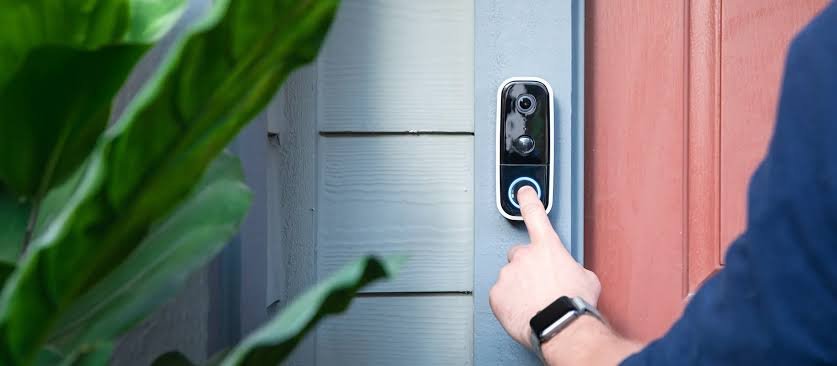
A video doorbell watches your front door and records visitors and package deliveries. It is the single most popular starting point for home security cameras Houston households add, because it covers the entry point most people use every day. The limit is coverage: it sees the porch, not the driveway, the side gate, or the back door.
Outdoor Cameras
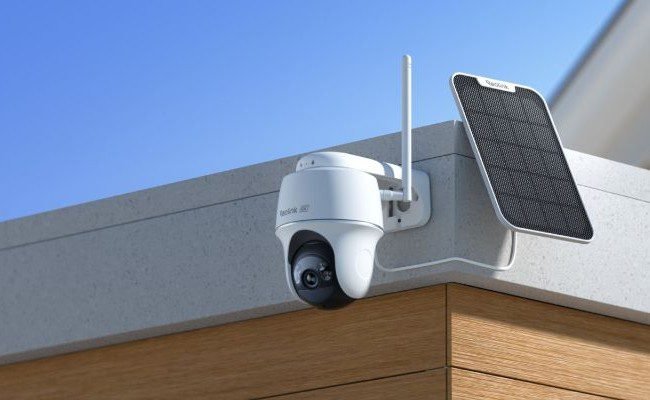
Weatherproof outdoor cameras cover driveways, side yards, back doors, and detached garages. For Houston, look for a clear weather rating and a design that handles heat and heavy rain. A camera that works well in a mild climate can struggle on a sun-baked south-facing wall.
Indoor Cameras
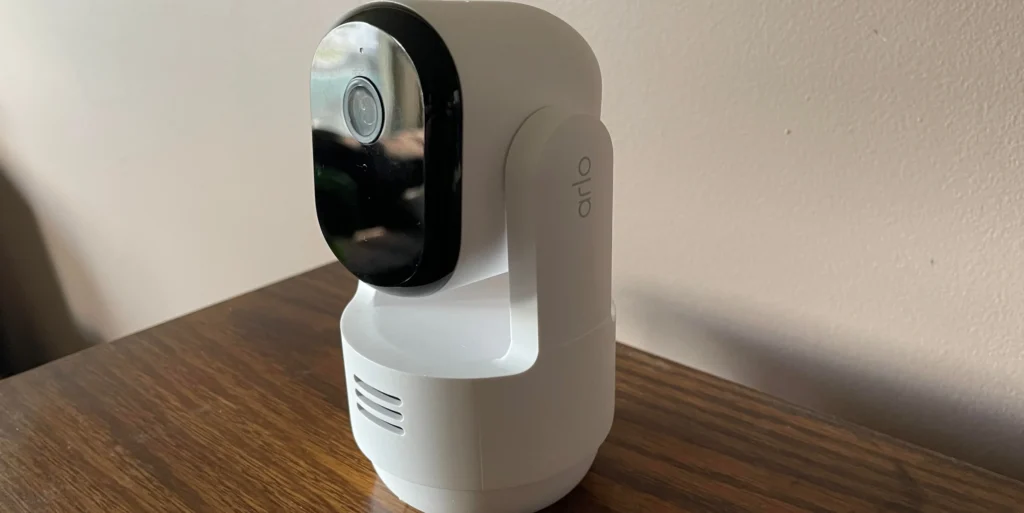
Indoor cameras watch main hallways, living areas, or a home office. Many homeowners use them to check on kids, pets, or deliveries left inside. They are usually the cheapest option, but they only help once someone is already in the house, so they work best as a supplement to outdoor coverage.
Floodlight and Pan-Tilt Cameras
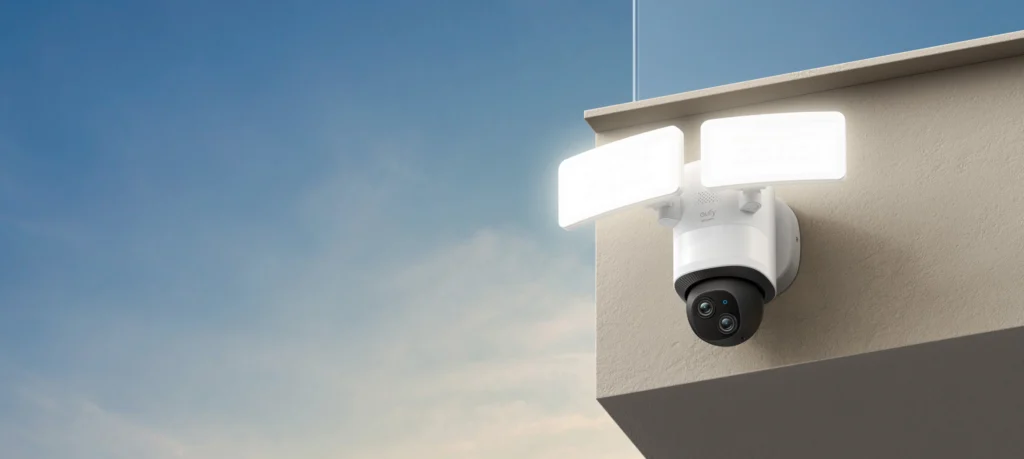
Floodlight cameras combine bright light with a camera and are useful on dark side yards and backyards. Pan-tilt models can sweep a wider area, which suits larger Houston lots, though they can miss action while pointing elsewhere.
7 Mistakes People Make With Home Security Cameras Houston Shoppers Should Avoid
Mistake 1: Buying Home Security Cameras Houston Burglars Can Simply Ignore
A camera that only records does not trigger a response. If someone breaks in while you are at work, the footage helps afterward, but nothing happens in the moment. The strongest setups connect cameras to a monitored alarm system, so door and window sensors trigger a response and the video becomes evidence for that response instead of the only protection you have. If you want cameras that work as part of a full system, see how an authorized dealer ties them together on our ADT Authorized Dealer page.
Mistake 2: Ignoring Houston Weather and Power Outages
Houston summers are hot and humid, and hurricane season can knock out power and internet for long stretches, as many residents learned after Hurricane Beryl in July 2024. A camera that depends on constant home Wi-Fi and wall power goes dark exactly when conditions are worst. When you compare home security cameras Houston storms will test, ask about battery backup, cellular backup, and local storage that keeps recording when the internet drops.
Mistake 3: Skipping a Wi-Fi Coverage Check
Most camera complaints that sound like hardware problems are really signal problems. A camera at the far end of a long driveway or on a detached garage may sit outside your router’s reach, so video stutters or drops entirely. Test signal strength at every planned camera spot before mounting anything. If coverage is weak, plan for a mesh network, a wired connection, or cameras designed for long-range use.
Mistake 4: Putting Cameras in the Wrong Places
Cameras mounted too high capture the tops of heads and hats. Cameras pointed straight at the sun wash out at sunrise or sunset. And cameras covering only the front door miss the way many break-ins actually happen, through back doors, side windows, and garages. The placement checklist below shows where cameras earn their keep.
Mistake 5: Chasing Resolution Instead of Real-World Performance
A higher resolution number looks good on a spec sheet, but it is not the whole story. Night vision quality, field of view, frame rate, and how well the camera handles bright backlight matter just as much. A sharp daytime image is of little use if the camera turns into a grainy blur at night, which is when you most need it. Ask to see sample night footage before you commit to any of the houston home security cameras you are considering.
Mistake 6: Not Reading the Cloud Storage Fine Print
Many cameras store clips in the cloud under a monthly plan. Some limit how many days of video you can keep, how many cameras one plan covers, or whether you can even view old clips without paying. Before you buy, get the answers in writing: what is free, what costs extra, how long video is stored, and what happens to your footage if you stop paying.
Mistake 7: Treating Cameras as a DIY Add-On to a System That Does Not Connect
Standalone cameras bought separately often live in their own app, apart from your alarm panel, door sensors, and lights. That means juggling several apps, and none of them can trigger the others. When you compare a security camera system Houston TX homeowners can manage from a single app, integration is a real advantage, not a nice extra.
Features to Look for in Home Security Cameras Houston Households Rely On
Use this quick checklist when you compare models or installers. You do not need every item on every camera, but you should know which ones you are giving up.
- Weather rating suited to Houston: outdoor cameras should clearly state their rating for rain and dust.
- Night vision you have actually seen: ask for real footage, not marketing images.
- Backup options: battery, cellular, or local storage for outages and storm season.
- Smart alerts: person, vehicle, and package detection reduce false notifications.
- Two-way audio: lets you speak to a visitor or delivery driver from your phone.
- Clear storage terms: know exactly what the cloud plan includes before you buy.
- Single-app control: cameras, alarm, and locks managed in one place.
Home Security Camera Phone Houston TX Features Worth Having
Many people search for a home security camera phone Houston TX setup because the phone is where alerts land. The features that matter most on the phone side are fast notifications, live view that opens in seconds, and the ability to share access with family members without sharing your password. Test the app yourself if you can. A camera with a slow or confusing app often goes unused within months.
Where to Place Home Security Cameras Houston Properties Need Most
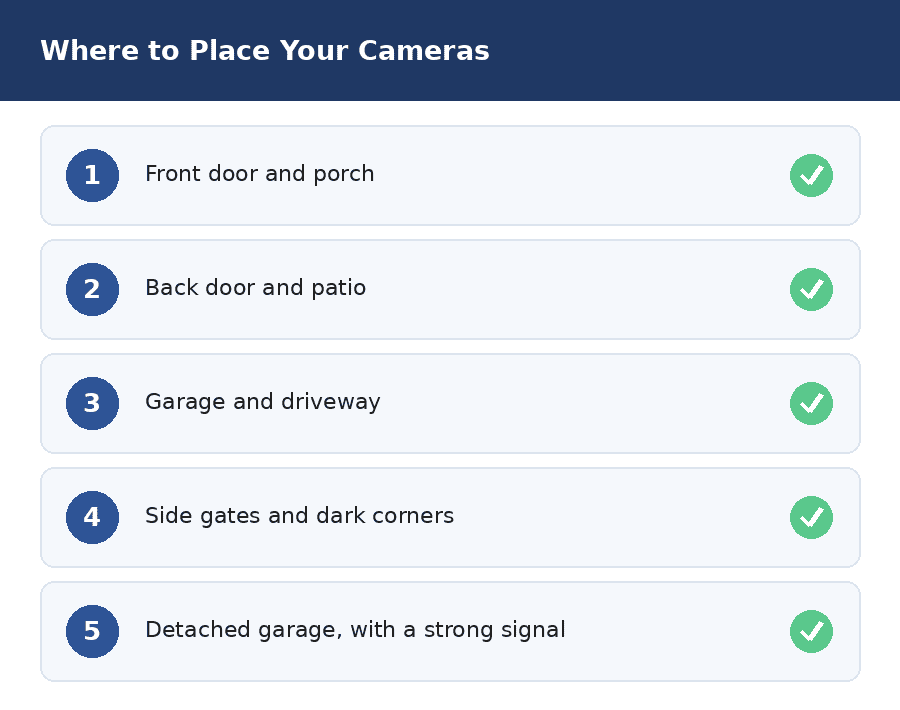
Good placement matters more than camera count. Start with the entry points and work outward.
Front Door and Porch
Cover the front door with a doorbell camera or a camera mounted about eight to ten feet up, angled slightly down. This catches faces and package deliveries.
Back Door and Patio
Back doors and sliding patio doors are common entry points because they are out of view of the street. A camera here is one of the most valuable spots among all home security cameras Houston homes can use.
Garage and Driveway
Cover the garage door and the driveway so you can see vehicles and anyone approaching. If you have a detached garage, it needs its own camera and a reliable connection back to your network.
Side Gates and Dark Corners
Side yards are where intruders can work unseen. A floodlight camera here does double duty, lighting the area and recording whoever walks into it.
Smart Features That Make Home Security Cameras Houston Families Use Every Day Worth It
The best features are the ones that cut noise and save time. Person and vehicle detection stops alerts every time a tree moves. Activity zones let you ignore the street and watch only your driveway. Package detection tells you when a delivery arrives, and two-way audio lets you speak to a visitor without opening the door. These features matter most when you choose home security cameras Houston neighborhoods with busy streets or heavy foot traffic.
Just as important is how easily you can review footage. Look for clear timelines, quick clip sharing, and the ability to download video if you ever need to give it to police or an insurance company. A camera that records everything but makes it hard to find the right moment is only half useful.
Professional Installation vs. DIY for Houston Camera Systems
Plenty of homeowners are comfortable mounting a doorbell camera themselves, and that is a reasonable choice for a single device. A larger setup is different. Running power, finding a strong signal on a detached garage, aiming cameras to avoid glare, and connecting everything to an alarm panel are all easier with an experienced installer.
Professional installation also gives you one number to call when something stops working, rather than chasing support across several brands. When you compare houston security camera systems, ask who installs them, whether the installer is a direct employee or a subcontractor, and what happens if a camera fails after the first year.
Questions to Ask Any Installer
- Is the company licensed in Texas, and can you see the license number?
- Will the same team handle installation and future service calls?
- Do the cameras connect to the alarm system, or do they run in a separate app?
- What keeps the cameras working during a power or internet outage?
- What are the full monthly costs, including any cloud storage?
Privacy, Permits, and Good-Neighbor Basics
Point cameras at your own property: doors, driveway, yard. Avoid aiming them into neighbors’ windows or yards, which can cause disputes and legal trouble. If your system includes a monitored burglar alarm, check the City of Houston’s Burglar Alarm Administration permit page for current application and fee information, since the City handles alarm permits separately from cameras alone. A good local provider will usually walk you through this as part of setup.
PHT Security: Local Help With Home Security Cameras Houston Families Can Count On
PHT Security is a Houston-based ADT Authorized Dealer. That means you get ADT’s monitoring and equipment together with a local team that handles installation and service calls. If you want home security cameras Houston technicians set up and connect to a monitored system, you can talk to a real person who knows the area, the weather, and the older wiring found in many Houston homes. Visit our ADT Authorized Dealer page to see how packages work.
Frequently Asked Questions About Home Security Cameras Houston Residents Ask
What are the best home security cameras Houston homeowners can buy?
There is no single best model. The best home security cameras Houston households choose are the ones that match the property: a doorbell camera for the front door, outdoor cameras for the driveway and back door, and a way to keep recording during outages. Focus on weather rating, night vision, storage terms, and whether the cameras connect to a monitored system.
Do I need a security camera system Houston TX professionals install?
Not always. A single doorbell camera is easy to install yourself. For several cameras, a detached garage, or a system tied to an alarm panel, professional installation saves time and avoids signal and placement problems.
How many home security cameras Houston homes typically need?
Most homes are well covered by cameras at the front door, back door, and garage or driveway. Larger lots may need extra coverage on side yards. Start with entry points and add cameras where you find gaps.
Do home security cameras Houston homeowners install still work during storms and power outages?
Only if they are set up for it. Cameras that rely on constant Wi-Fi and wall power stop working when either fails. Ask about battery backup, cellular backup, and local storage.
Do cameras work without a monthly subscription?
Some record to local storage with no monthly fee, but features like cloud clips, smart alerts, and longer history often require a plan. Always ask what is included before you buy.
Is camera security Houston TX residents add useful without an alarm?
Cameras help you see and record, but they do not summon help. Most homeowners get the best protection by pairing cameras with a monitored alarm system.
Bottom Line on Choosing Home Security Cameras Houston Homes Need
The best home security cameras Houston homeowners can choose are not necessarily the most expensive or the highest resolution. They are the ones that cover your real entry points, keep working through Houston storms, store footage on terms you understand, and connect to a system that can actually respond. Use the seven mistakes and the placement checklist above to compare any option, and ask for answers in writing before you sign.

PHT Security Team
We believe everyone deserves to feel safe at home and at work. Our team shares practical security advice, helpful resources, and the latest insights on ADT systems, security cameras, smart home technology, and commercial security to help you make informed decisions. Whether you’re exploring your first security system or upgrading your current setup, we’re here to help you protect what matters most.
PHT Security Team
we believe everyone deserves to feel safe at home and at work. Our team shares practical security advice, helpful resources, and the latest insights on ADT systems, security cameras, smart home technology, and commercial security to help you make informed decisions. Whether you’re exploring your first security system or upgrading your current setup, we’re here to help you protect what matters most.