Indoor vs. Outdoor Security Cameras: How to Actually Choose the Right One
| PHT Security Team
Most people don’t get this decision wrong because they don’t understand cameras. They get it wrong because they buy based on price or looks, then find out six months later that the “outdoor” camera fogs up every winter morning, or the indoor camera they mounted under the porch light died the first time it rained sideways.
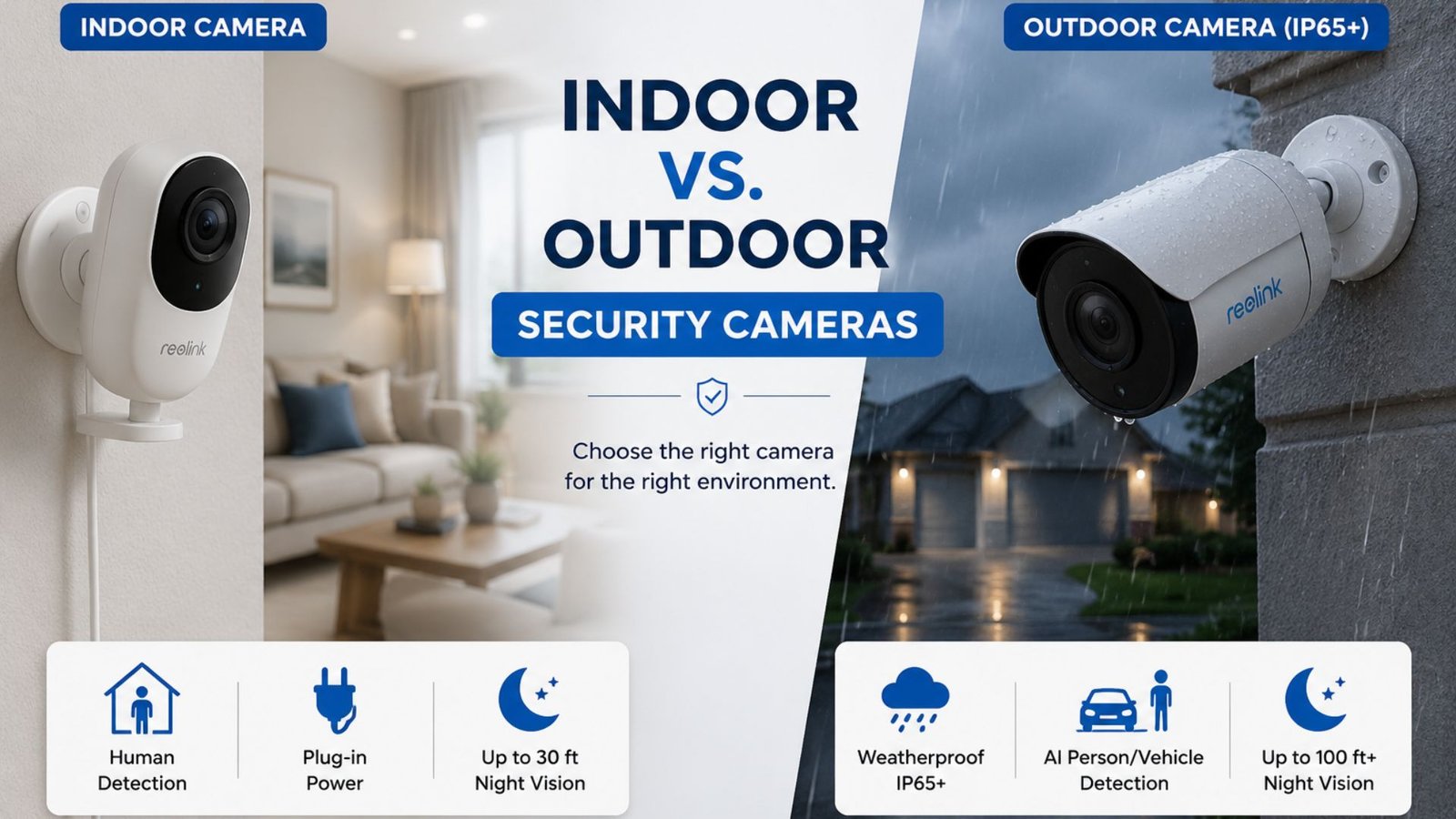
The difference between indoor and outdoor security cameras isn’t marketing, it’s engineering. Outdoor units are built to survive weather, glare, and open sightlines. Indoor units are built for clarity, discretion, and close-range detail in a controlled space. Put either one in the wrong environment and you’ll get worse footage, more false alerts, and, eventually, a dead camera.
Here’s what actually separates the two, what each mistake costs you, and how to decide what your property needs.
Quick Comparison: Indoor vs. Outdoor Cameras
| Feature | Indoor Camera | Outdoor Camera |
|---|---|---|
| Weatherproofing | None to minimal | IP65 to IP67 rated |
| Typical field of view | 60° to 120° | 90° to 180°, some with PTZ |
| Night vision range | Usually under 30 ft | Often 60 to 100+ ft |
| Power source | Plug-in, occasionally battery | Hardwired, battery, solar, or PoE |
| Motion detection | Human/pet detection, indoor tuned | AI person/vehicle detection, weather-filtered |
| Typical price | $30 to $100 | $60 to $250+ |
| Common failure point | Overheating near windows, glare | Lens fogging, weak Wi-Fi at property edge |
1. Design and Build: Why an Indoor Camera Won’t Survive Outside
Indoor cameras are built light and compact because they don’t need to fight the elements: no gaskets, no sealed housings, no UV-resistant plastic. That keeps them cheap and small, but it also means the internal electronics are exposed to moisture and temperature swings the moment you mount one outside.
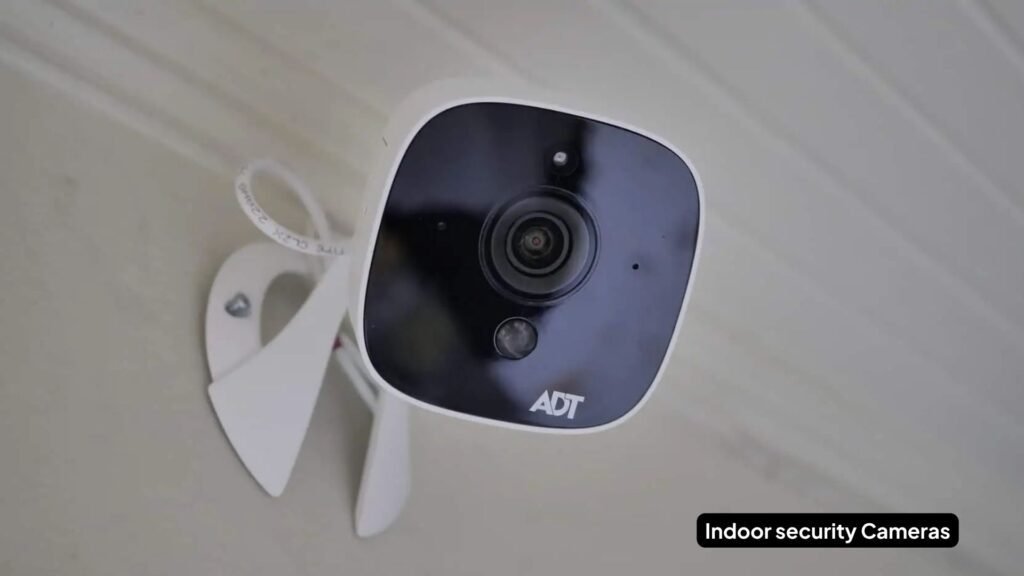
Outdoor cameras carry an IP rating for a reason. An IP65 rating means the unit is fully dust-protected and can handle low-pressure water jets from any direction, enough for driving rain. IP67 goes further: full dust protection plus the ability to survive temporary submersion, which matters if the camera sits somewhere that floods briefly during a storm.
Common mistake we see on installs: homeowners mount a cheap indoor camera under an eave, assuming the roof overhang is enough protection. It works for a few dry months, then condensation gets into the housing during the first cold snap and the image goes blurry or the unit fails outright.
Expert tip: if a camera is going anywhere outside, even a covered porch, don’t go below IP65.
2. Weather Resistance: What Weatherproof Actually Means
Weatherproof doesn’t just mean water-resistant. A properly built outdoor camera also handles:
- UV exposure without the housing plastic yellowing or cracking within a year
- Operating temperature ranges typically from -4°F to 122°F on quality units
- Anti-fog coatings on the lens cover, which matters more than most buyers realize
Cheaper outdoor cameras skip the anti-fog treatment. The housing might be rated IP65, but if the lens fogs every time the temperature swings, you’re still losing footage, just from the inside of the glass instead of rain on the outside.
When it goes wrong: we get more service calls about foggy lenses in fall and spring, when daily temperature swings are largest, than about actual weather damage.
3. Night Vision: Why Range and Type Both Matter
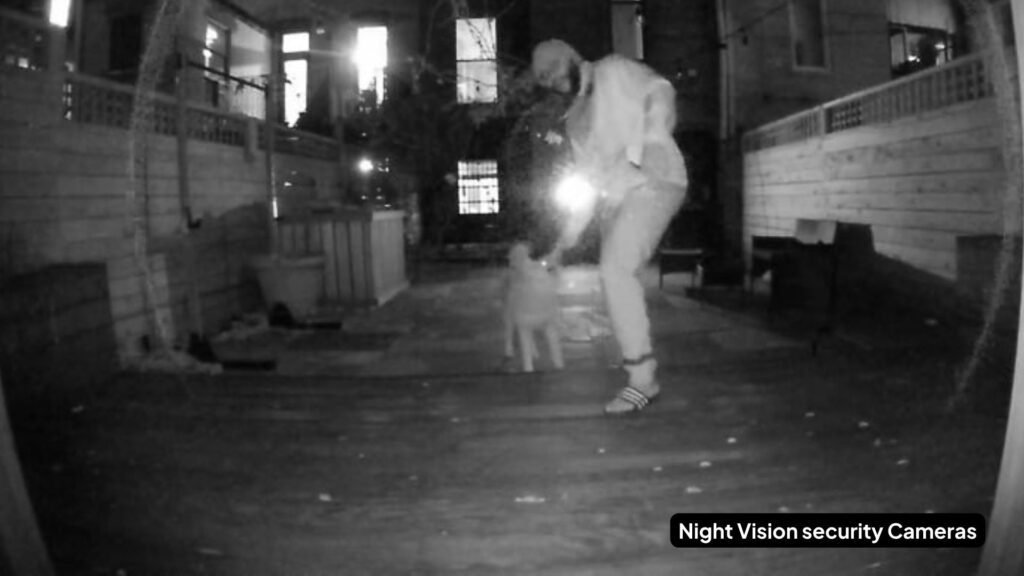
Every security camera worth buying has night vision, but not all night vision is equal.
- Indoor cameras usually run 15 to 30 ft of infrared range. That’s plenty for a hallway or living room but useless for a backyard.
- Outdoor cameras commonly reach 60 to 100+ ft, and higher-end models use color night vision (a small spotlight plus a more sensitive sensor) instead of black-and-white IR, which makes identifying a person’s clothing or a vehicle color possible after dark.
- Some outdoor units add thermal sensors for perimeter detection, which read heat signatures rather than visible light, useful for large properties but overkill for a typical suburban yard.
Practical guidance: if your main goal is identifying a face or license plate at night, color night vision beats plain IR almost every time, even at a similar price point. IR gives you a shape; color gives you detail.
4. Field of View and Coverage: The Setting Most People Get Wrong
Field of view (FoV) determines how much ground one camera actually covers, and it’s the spec most likely to leave you with a blind spot you don’t discover until after something happens.
- Outdoor cameras run 90° to 180°, with wide models suited to driveways and open yards. PTZ (pan-tilt-zoom) models can actively track movement across a wider area, which is worth the extra cost for larger properties or businesses.
- Indoor cameras run narrower, typically 60° to 120°, because they’re usually watching a doorway, a room, or a single point of entry rather than an open space.
Common mistake: buying one wide-angle outdoor camera and assuming it covers the whole backyard. Wide-angle lenses stretch the image at the edges, which means the far corners of the frame often have less usable detail than the center, fine for detecting motion, not always good enough for identification. On larger yards, two cameras with overlapping coverage almost always beat one “does everything” camera.
5. Motion Detection and Smart Features: Where False Alarms Come From
Motion detection sounds simple until you’ve had a camera send you fifteen notifications overnight because a tree branch kept moving in the wind.
- Outdoor cameras increasingly use AI-based detection that distinguishes people, vehicles, and animals, specifically to cut down on false alerts from foliage, headlights, and passing cars. This is one of the more meaningful upgrades in the past few years. Older PIR-only sensors trigger on any heat/motion change, while AI models actually classify what they’re seeing.
- Indoor cameras tend to focus on human and pet detection since the environment is more controlled, plus privacy features like physical shutters or a hardware mute switch for camera-shy family members.
Expert tip: if you’re getting constant false alerts outdoors, it’s rarely a “bad camera” problem. It’s almost always a placement or sensitivity-setting problem. Reflective surfaces, moving shadows, and direct sun angles across the lens cause most of the false triggers we troubleshoot on service calls.
6. Power, Installation, and Ongoing Cost: The Part Nobody Mentions Upfront
This is where the real decision usually gets made, and it’s the part most comparison articles skip entirely. If you’re still torn between a wired setup and something battery-powered, our wired vs. wireless camera comparison breaks down the trade-offs in more depth.
Power source options:
- Hardwired, most reliable, no battery swaps, but needs professional installation and running cable
- Battery-powered, easiest DIY install, but outdoor units in high-traffic areas can need recharging every 1 to 3 months
- Solar-assisted, extends battery life significantly in sunny climates, less useful in shaded or northern-facing spots
- Power over Ethernet (PoE), common on professional-grade systems, reliable and supports higher resolution without Wi-Fi congestion
Storage and subscription: Most consumer cameras push you toward cloud storage subscriptions ($3 to $15/month per camera is typical). Local storage via SD card or an NVR avoids the subscription but means footage is only as safe as the physical device. If someone steals the camera or the NVR, they can take the evidence with them.
Installation reality check: DIY works fine for a single indoor camera or a battery-powered outdoor unit. Once you’re running multiple cameras, wiring for hardwired power, or trying to get consistent Wi-Fi signal to a camera at the far edge of a property, professional installation typically pays for itself in avoided troubleshooting. Weak signal strength at property boundaries is one of the most common reasons outdoor cameras drop offline, and it’s the kind of thing a proper professional installation catches before it becomes a recurring headache.
Which Camera Do You Actually Need?
Use this as a quick decision checklist:
- Monitoring a nursery, living room, or office interior? → Indoor camera. You want detail and discretion, not weatherproofing you’ll never use.
- Covering a driveway, backyard, or building perimeter? → Outdoor camera, IP65 minimum, wide-angle or PTZ depending on the space.
- Worried about package theft at the front door? → Outdoor camera with a narrower, downward-angled field of view rather than a wide perimeter lens.
- Want one system that covers both? → Most homes end up with a mix: 1 to 2 outdoor cameras at entry points and the driveway, plus indoor cameras at interior doors or shared spaces. This is also where tying cameras into a monitored alarm system adds real value: motion detection alone catches an event, but professional monitoring means someone responds to it.
- Renting or not ready for a permanent install? → Battery-powered outdoor cameras and plug-in indoor cameras avoid any wiring commitment.
Common Mistakes to Avoid
- Mounting an indoor-rated camera outside “because it was cheaper.” It will fail, usually within one wet season.
- Ignoring Wi-Fi signal strength at the mounting location before buying. A great camera with a weak signal produces choppy, useless footage.
- Angling a camera directly into morning or evening sun, which causes glare and washes out the image during exactly the hours you most want good footage.
- Skipping the subscription cost math: a $60 camera with a $10/month cloud plan costs more over three years than a $150 camera with free local storage.
- Assuming one wide-angle camera replaces two properly placed ones.
Final Thoughts
There isn’t a universally better camera between indoor and outdoor. There’s only the right camera for a specific spot on your property. Match the build quality, night vision range, and field of view to the environment it’s actually going into, budget for either the subscription or the local storage hardware, and get the placement right before you commit to drilling holes. Most of the complaints we hear about security cameras trace back to one of those three things, not the camera itself.
If you’re covering more than a door or two, it’s worth having someone map out camera placement and coverage before you buy anything. Overlapping blind spots are far more common (and far more expensive to fix after the fact) than most homeowners expect. If your current setup is more than a few years old, it may also be worth reviewing whether it’s time to upgrade your home security system rather than just adding cameras on top of it.
Frequently Asked Questions
Can I use an indoor camera outside if I put it under a covered porch?
Not reliably. Roof overhangs block direct rain but not humidity, wind-driven moisture, or temperature swings, which are what actually damage indoor-rated electronics. If it’s outside at all, look for at least an IP65 rating.
Do outdoor security cameras work well in winter?
Quality outdoor cameras are rated for sub-freezing temperatures, but battery life drops significantly in cold weather, and lenses without anti-fog coating can struggle with condensation during temperature swings. Hardwired or PoE cameras handle winter more consistently than battery models.
Is a wireless or hardwired camera better?
Wireless (battery-powered) cameras are easier to install and reposition but need regular charging and depend entirely on Wi-Fi signal strength. Hardwired cameras are more reliable long-term and better for permanent placements, but need professional installation in most cases.
How long do outdoor camera batteries actually last?
It depends heavily on activity level and temperature, anywhere from 1 to 6 months between charges is typical, with high-traffic areas and cold weather both draining batteries faster.
Do I need both indoor and outdoor cameras?
For most homes, yes. Outdoor cameras cover perimeter and entry points; indoor cameras cover interior spaces cameras outside simply can’t see. A combined system, ideally tied into a monitored alarm setup, gives more complete coverage than either type alone.

PHT Security Team
We believe everyone deserves to feel safe at home and at work. Our team shares practical security advice, helpful resources, and the latest insights on ADT systems, security cameras, smart home technology, and commercial security to help you make informed decisions. Whether you’re exploring your first security system or upgrading your current setup, we’re here to help you protect what matters most.
PHT Security Team
we believe everyone deserves to feel safe at home and at work. Our team shares practical security advice, helpful resources, and the latest insights on ADT systems, security cameras, smart home technology, and commercial security to help you make informed decisions. Whether you’re exploring your first security system or upgrading your current setup, we’re here to help you protect what matters most.