Alarm Monitoring vs. Self-Monitoring: Which One Actually Protects Your Home?
| PHT Security Team
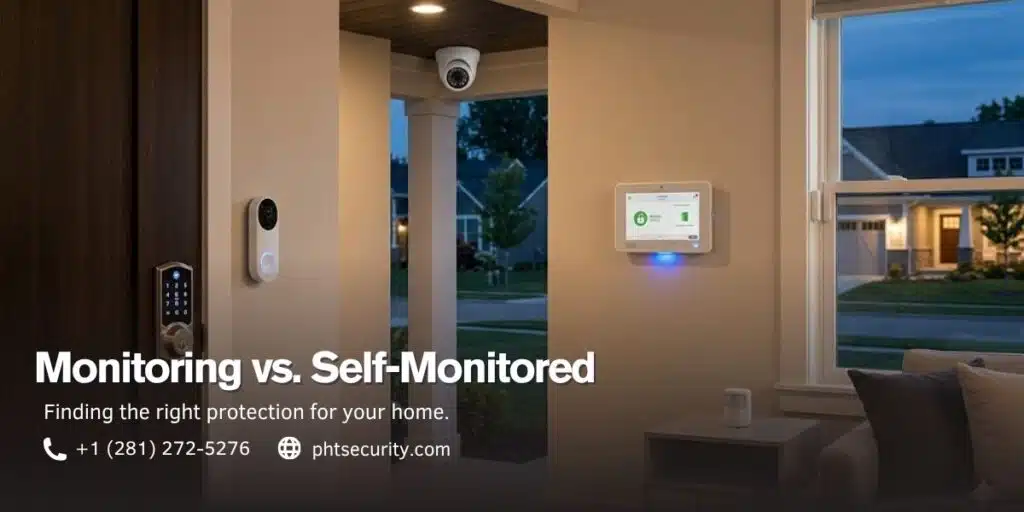
At some point while setting up a security system, you’ll hit this decision: let a professional monitoring center watch your home, or handle it yourself through an app.
Same sensors. Same cameras. Same basic idea. What’s different is what happens the second an alarm actually goes off.
And it’s not really a small budgeting question anymore. It affects how fast police show up, whether your insurance company knocks something off your premium, and whether your cameras keep working if someone kills your Wi-Fi before breaking in.
Here’s the short version, then the full breakdown.
Quick answer: Self-monitoring is cheaper and gives you full control, but it only works if you’re actually available to catch the alert. Professional monitoring costs more each month, but a trained dispatcher is watching around the clock and can call 911 for you, even when you can’t. If your home has kids, pets, multiple entry points, or you’re just gone a lot, professional monitoring is usually the safer bet. If you’re in a small apartment and you’re glued to your phone anyway, self-monitoring can work fine.
What Is Self-Monitoring?
With self-monitoring, you’re the whole system.
A sensor trips, maybe a door contact, a motion detector, or a camera, and a notification lands on your phone. From there, it’s on you. Pull up the footage, figure out if it’s real, and call 911 yourself if it needs it.
This is the model behind most DIY kits: Ring, SimpliSafe, Google Nest, and similar setups. People like it because it’s cheap and doesn’t lock you into anything. A lot of plans run $0 to $10 a month, and some are free if basic alerts are all you need.
The catch is simple. It only works if you’re actually reachable. Stuck in a meeting, asleep, phone on silent, on a flight, whatever the reason, if you miss the alert, nothing happens next. There’s no backup layer watching for you.
What Is Professional Alarm Monitoring?
Professional monitoring routes your system through a live central station, staffed 24/7.
When something triggers, the alert doesn’t stop at your phone. A dispatcher reviews the signal, tries to confirm it’s a real threat, and contacts emergency services on your behalf if it checks out.
Reputable providers typically run this through a UL-Listed or Five Diamond-certified station. That means the facility has to meet set standards for how fast and how consistently it responds. Real-world response times generally land somewhere between 20 and 60 seconds, from trigger to dispatch, though the exact number depends on the provider and how the alarm gets verified.
Expect to pay somewhere in the $20 to $80 a month range, depending on the equipment tier and whether you’re adding extras like video verification or fire and flood sensors.
Alarm Monitoring vs. Self-Monitoring: Quick Comparison
| Feature | Professional Monitoring | Self-Monitoring |
|---|---|---|
| Who responds first | A trained dispatcher | You |
| Typical monthly cost | $20–$80 | $0–$10 |
| Emergency dispatch | Automatic and verified | Manual, up to you |
| Works while you’re asleep or unreachable | Yes | Not really |
| Insurance discount | Often 10–20% | Rarely |
| Backup if Wi-Fi or power drops | Cellular + battery (varies by provider) | Usually none |
| Best fit for | Homeowners, families, higher-risk properties | Renters, apartments, budget-focused users |
Which One Gets Help There Faster?
This is where the two really pull apart.
With self-monitoring, everything depends on you: noticing the alert, understanding it, then acting. In that order. If you’re driving, in the shower, or your phone’s buried in a bag, that gap can stretch from seconds into several minutes. In a fire or a break-in, minutes are the whole ballgame.
Professional monitoring skips that gap almost entirely. Someone’s already watching for the signal, so verification and dispatch can start almost the moment a sensor trips.
Some providers now offer live talk-down through outdoor cameras too. A dispatcher can speak directly to whoever’s loitering on your porch and tell them police are already on the way. Not many homeowners could pull that off calmly in the middle of a real crisis, and honestly, they shouldn’t have to.
There’s also a less obvious factor. Many police departments prioritize “verified” alarms, ones confirmed by a person or video feed, over raw, unverified ones. A phone notification alone doesn’t carry that same weight when a dispatcher is deciding how urgently to respond.
Is Self-Monitoring Cheaper Than Professional Monitoring?
Upfront, yes, by a wide margin. Free or near-free versus $20 to $80 a month adds up fast over a year. That part’s not in dispute.
But it’s only half the picture.
Professional monitoring often qualifies you for a homeowner’s insurance discount, usually somewhere between 10% and 20%. With the average U.S. policy running around $2,000 to $2,300 a year, even a modest 15% cut saves a few hundred dollars annually. That quietly covers a good chunk of the monitoring fee.
So self-monitoring still wins on raw cost, especially for renters or people in smaller, lower-risk units who don’t need the extra layer. But factor in insurance savings and what guaranteed response is worth to you, and the gap shrinks more than most comparisons let on.
What Happens If the Power or Wi-Fi Goes Out?
his part gets skipped a lot, and it shouldn’t be.
Self-monitored systems generally rely on your home Wi-Fi to send anything at all. If that connection drops, whether from a storm, a router hiccup, or someone cutting the line on purpose, your cameras and sensors can go dark without you ever knowing.
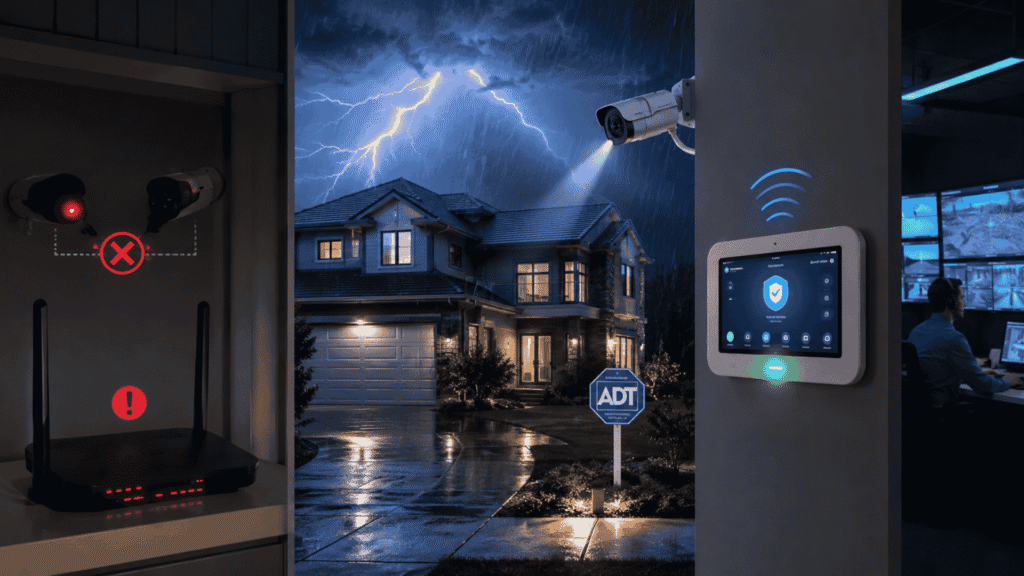
Professionally monitored setups are usually built with that scenario in mind. Most run on cellular (LTE or 5G) with a battery backup, so the connection to the monitoring center holds even if your power or internet doesn’t. That matters most in the exact situation you’d worry about most: someone who knows enough to kill your Wi-Fi before doing anything else.
There’s also a newer wrinkle worth knowing about: cheap signal jammers that can knock out standard Wi-Fi-based cameras and sensors. A professionally installed home camera system running on encrypted, non-Wi-Fi frequencies with cellular backup is a lot harder to disable this way than a basic camera plugged straight into your router.
The stakes here aren’t hypothetical either. National crime data from the FBI’s Crime Data Explorer shows just how often unmonitored homes end up as easier targets, which is part of why redundancy in a security system matters as much as the sensors themselves.
Where Self-Monitoring Actually Has the Edge
None of this makes self-monitoring a bad choice. It just fits a different situation.
You keep full control of your own data. No third party has eyes on your camera feed or ears on your sensor activity unless you decide to share it. For privacy-minded homeowners, that’s a legitimate reason on its own.
It’s also more flexible. No long contracts, you can swap devices whenever you want, and it travels well if you move a lot or you’re renting. If you genuinely check your phone constantly and would respond fast, self-monitoring holds up fine, especially in lower-risk spots like a single-entry apartment.
Which One Actually Fits You?
Professional monitoring is probably worth it if:
- You travel a lot, work long hours, or your phone is often out of reach
- You want the fastest possible police, fire, or medical response
- Your home has multiple entry points or sits in a higher-risk area
- Lowering your insurance premium matters to you
- There’s anyone in the house, kids, older relatives, anyone, who might not be able to respond during an emergency
Self-monitoring probably makes more sense if:
- You’re in a smaller apartment or rental with one or two entry points
- You’re consistently reachable and comfortable acting fast on alerts
- Budget is genuinely the deciding factor
- Keeping full control of your own footage and data matters more to you than automated response
Neither one is objectively better across the board. It comes down to how much risk you’re willing to manage yourself versus how much you’d rather hand off to a team that’s watching around the clock, whether you’re paying attention or not.
Can You Switch Later, or Run Both?
Plenty of people do exactly that.
It’s common to start with self-monitoring, especially while renting, then move to professional monitoring later once you own a place or decide the peace of mind is worth paying for. In a lot of cases, your existing DIY hardware can be folded into a professionally monitored plan instead of being replaced outright, which makes the switch less painful than it sounds.
Some homeowners run a hybrid setup too: professional monitoring handling the core alarm and dispatch, with self-monitoring style camera access layered on top so they can still pull up live footage whenever they want. You’re not locked into one model forever.
Frequently Asked Questions
Does professional monitoring still work if my power or Wi-Fi goes out?
Usually, yes. Most providers build in cellular backup and a battery reserve specifically so the connection survives an outage. That’s one of the clearer advantages over a Wi-Fi-only self-monitored camera.
How much can I really save on insurance with professional monitoring?
Most major insurers offer somewhere in the 10% to 20% range for professionally monitored systems, since it lowers their risk on paper. On an average policy, that can cover a solid chunk of what you’re paying for monitoring each month.
What does verified mean when an alarm goes off?
It means a person or a video feed confirmed the alarm looks legitimate before police got the call. Many departments treat verified alarms as higher priority than unverified ones, which is a big part of why professionally monitored homes tend to see faster real-world response.
Is self-monitoring good enough for a family home?
It can be, but it depends on whether someone in the house can reliably respond at any hour, including 3 a.m. For fires, medical emergencies, or times when everyone’s asleep or out, professional monitoring generally offers a stronger safety net.
Which is better for renters or apartments?
Self-monitoring tends to fit renters well, since there’s no long contract, the equipment moves with you, and apartments usually have fewer entry points to worry about. It’s a reasonable trade-off for a lower-risk space.
Can I move from self-monitoring to professional monitoring later?
In most cases, yes. If your current equipment is compatible, many providers can bring it into a monitored plan without swapping out the whole system, so it doesn’t have to be an all-or-nothing decision right now.
Final Thought
There’s no single right answer here, and anyone who tells you there is probably has something to sell you.
Self-monitoring is affordable, private, and works fine for the right household, especially smaller homes with someone consistently around to respond. Professional monitoring costs more, but it closes the one real gap self-monitoring can’t: what happens the moment you’re not able to respond yourself.
For most families, that’s the gap worth paying to close. And if you’ve already decided professional monitoring is the way to go, the next question is which provider actually delivers on it, which is exactly what we break down in Vivint vs. ADT home security.

PHT Security Team
We believe everyone deserves to feel safe at home and at work. Our team shares practical security advice, helpful resources, and the latest insights on ADT systems, security cameras, smart home technology, and commercial security to help you make informed decisions. Whether you’re exploring your first security system or upgrading your current setup, we’re here to help you protect what matters most.
PHT Security Team
we believe everyone deserves to feel safe at home and at work. Our team shares practical security advice, helpful resources, and the latest insights on ADT systems, security cameras, smart home technology, and commercial security to help you make informed decisions. Whether you’re exploring your first security system or upgrading your current setup, we’re here to help you protect what matters most.