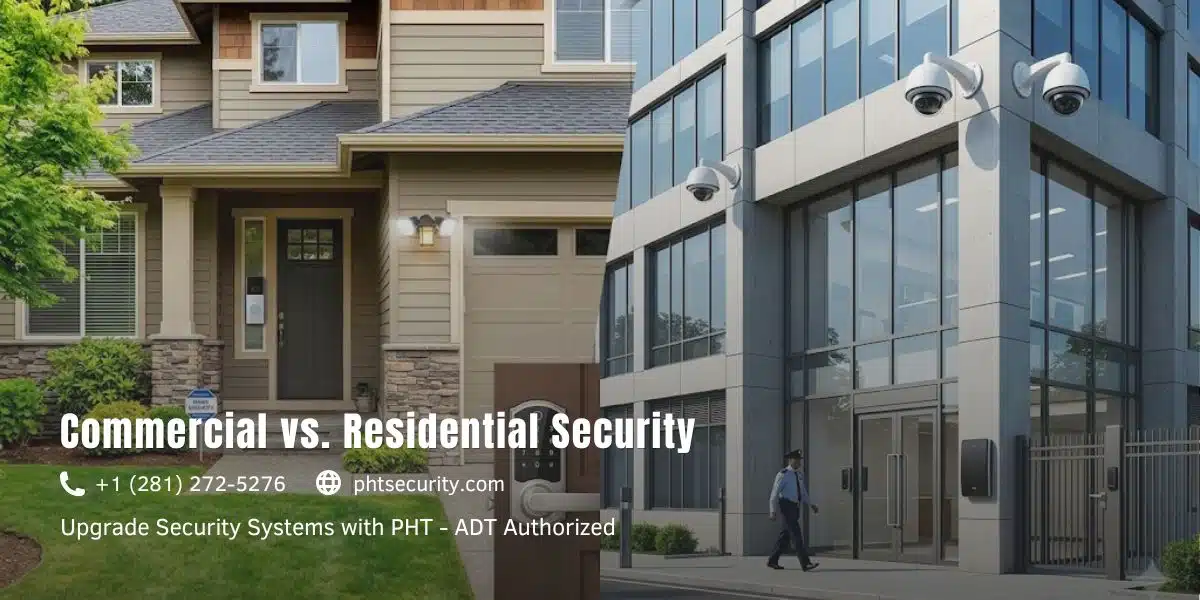
People search this question because they’re about to spend real money and don’t want to buy the wrong thing.
Here’s the truth: commercial and residential security systems aren’t just different in size. Manufacturers build them on completely different assumptions about threats, users, accountability, and uptime.
A home security system assumes one family, one routine, a handful of entry points, and a user who checks an app on their phone. In contrast, a commercial system assumes staff turnover, multiple access zones, legal liability, potential regulatory audits, and 24/7 operational continuity.
Knowing which category you fall into before you start shopping will save you significant money and a lot of headache.
Scale and Coverage: It Goes Deeper Than Camera Count
Physical scope is the most obvious difference, but the gap runs deeper than how many cameras you install.
Residential systems handle predictable, contained environments well. You have a front door, a back door, maybe a garage, and a handful of windows. Motion sensors cover the common areas, cameras watch the perimeter, and the whole setup can usually run from one smartphone app.
Commercial properties, however, present a completely different challenge. A retail store alone has customer entrances, staff entrances, stockrooms, loading docks, and a parking lot to manage. An office building adds server rooms, executive floors, and visitor management on top of that. A warehouse can have dozens of access points spread across multiple buildings, where each zone carries a different permission level and the system must track everything simultaneously.
Beyond cameras, commercial security also integrates with building management systems, intercoms, elevator controls, and fire suppression. That level of interconnection doesn’t exist in residential setups because, frankly, it doesn’t need to.
Monitoring: Active Protection vs. Reactive Alerts
This is where the operational difference becomes impossible to ignore.
Most residential setups today rely on self-monitoring. You receive a push notification, check the camera feed, and decide whether to call the police yourself. Some homeowners do pay for professional monitoring, but even then, the model stays reactive a call centre contacts you after the alarm fires, not before.
Commercial monitoring, by contrast, operates as a dedicated security function. Businesses typically run in-house guards, a contracted monitoring firm, or a combination of both. Rather than reviewing footage after an incident, operators watch live feeds in real time. Response protocols are documented and rehearsed. Alarm verification before escalating to law enforcement is standard, not optional.
For businesses that operate outside normal hours restaurants, logistics firms, data centres any gap in monitoring creates genuine liability exposure, not just a security inconvenience.
Technology and Features: Not Even the Same Category

Both system types share a few core components: cameras, motion detectors, and door and window sensors. However, commercial systems layer in technology that residential setups simply don’t carry.
Access control is the most straightforward example. Residential systems typically offer a smart lock or a single keypad at the front door. Commercial access control, on the other hand, manages who enters which zone, at what time, and on which days. Administrators revoke credentials the moment an employee leaves the company. The system logs every entry and exit with a full timestamp. For sensitive areas, multi-factor authentication adds another layer of verification.
In addition to access control, commercial-grade installations commonly include:
- High-resolution CCTV with built-in video analytics: occupancy detection, loitering alerts, and licence plate recognition
- Vandal-resistant and weatherproof hardware built for heavy, continuous use
- Biometric entry for restricted or high-value zones
- Integrated visitor management with badge printing capabilities
- Video storage on local NVRs with redundant cloud backup
- Network-level cybersecurity protections covering the entire camera infrastructure
Residential cameras handle the basics adequately, but they generally lack the processing power and storage capacity to run analytics or satisfy the footage retention requirements that compliance regulations impose.
Compliance: The Piece Most Articles Never Mention
This is the largest gap in most comparisons of this type, and it carries serious consequences for business owners who overlook it.
Depending on your industry, your security setup isn’t simply about deterring theft. In many cases, regulators treat it as a documented compliance requirement.
Healthcare organizations under HIPAA must maintain physical access logs, security controls for areas where patient data lives, and auditable trails they can produce on demand. Retailers and hospitality businesses that process card payments fall under PCI DSS, which sets specific requirements for physical access to payment systems and cardholder data environments. Office buildings and multi-tenant properties, meanwhile, often face local fire safety codes that dictate camera placement, emergency lighting standards, and evacuation system integration.
Residential systems, by design, include none of this. They generate no audit log, no access history report, and no certifiable footage retention policy.
If regulators audit your business, or if legal proceedings ever put your security records under scrutiny, a residential-grade setup that overwrites footage every 72 hours becomes a liability rather than a defence.
Cost: Understanding What the Price Difference Actually Buys
Yes, commercial systems cost more. But the gap is frequently misunderstood.
A basic residential system typically runs between $200 and $600 for equipment, plus $20 to $50 per month for monitoring. Entry-level commercial installations, by comparison, start closer to $1,500 to $3,000 fully installed, with monitoring contracts ranging from $50 to several hundred dollars monthly depending on the coverage level.
Enterprise commercial systems for larger properties can reach five or six figures, particularly when access control, video analytics, and round-the-clock professional monitoring are all part of the scope.
What the higher price actually buys is redundancy, accountability, and scalability. The hardware tolerates higher usage cycles. The software maintains audit-ready logs. The monitoring stays active rather than waiting for something to go wrong. Most importantly, the system is built to grow alongside the property.
For a homeowner, that level of infrastructure is unnecessary. For a business owner responsible for employees, physical assets, intellectual property, and regulatory standing, the cost difference is almost always justified.
Scalability: The Hidden Cost of Starting with the Wrong System
Residential systems are packaged solutions designed for a fixed footprint. Even within the same brand ecosystem, adding devices quickly runs into hard limits around camera count, storage capacity, and third-party integrations.
Commercial systems, in contrast, are modular by design. Add a new floor and the system expands to cover it. Open a second location and bring it under the same management platform. When you need HR system integration to automate access provisioning during onboarding and offboarding, commercial platforms handle that natively.
Starting with a residential system because it costs less upfront often leads to a full replacement within two or three years as operations grow. That scenario costs more in the long run than making the right call from the beginning.
Decision Framework: Which System Do You Actually Need?
Before speaking to any vendor, use this table to self-qualify.
| Factor | Residential System | Commercial System |
|---|---|---|
| Property type | Single home, small condo | Office, retail, warehouse, multi-tenant building |
| Number of users | 1 to 5 people | 6 or more, with role-based access needed |
| Monitoring preference | Self-monitored or basic call centre | Active 24/7 professional monitoring |
| Compliance requirements | None | HIPAA, PCI DSS, local fire codes, industry mandates |
| Access control needed | Simple smart lock or keypad | Zoned, logged, revocable multi-user access |
| Footage retention required | 1 to 7 days typical | 30 to 90 days minimum, often longer |
| Scalability planned | Fixed footprint, no expansion expected | Multi-zone or multi-location growth |
| Budget range | $200 to $1,000 installed | $1,500 and up |
| Integration needs | Smart home devices (thermostat, locks) | HR systems, building management, IT network, fire suppression |
Three or more checkmarks in the commercial column means a residential system won’t serve you well. It may hold you over temporarily, but eventually you’ll absorb the cost through compliance exposure, a security incident, or a full system replacement.
Protecting a home? See our residential security Systems Running a business? See our commercial security systems
Side-by-Side Summary
| Residential | Commercial | |
|---|---|---|
| Coverage | Entry points, perimeter | Multi-zone, multi-building, integrated systems |
| Monitoring | Self-monitored or basic central station | 24/7 active professional monitoring |
| Access control | Smart lock or single keypad | Role-based, logged, auto-revocable |
| Compliance-ready | No | Yes (HIPAA, PCI DSS, fire codes) |
| Scalability | Limited | Modular, built to grow |
| Typical cost | $200–$1,000 installed | $1,500–$50,000+ depending on scope |
| Footage retention | 1–7 days | 30–90+ days |
| Best for | Homeowners, small renters | Businesses, property managers, multi-tenant operators |
The Bottom Line
The core difference between commercial and residential security isn’t brand or budget. It comes down to operational intent.
Residential security protects a household. Commercial security protects a business and along with it, the people who work there, the assets on-site, the data being processed, and the organization’s regulatory standing.
For homeowners, a solid residential setup covers everything you need. For anyone running a business at meaningful scale, commercial-grade security isn’t a luxury upgrade. It’s a basic requirement for operating properly.
Frequently Asked Questions
Can a small business use a residential security system?
Technically yes, but it’s rarely the right choice. Residential systems lack audit logs, compliance-ready footage retention, and role-based access control. For a very small office with one or two staff, they might work temporarily. However, the moment compliance obligations, multiple employees, or access tracking requirements enter the picture, you’ve already outgrown them.
What is the biggest difference between commercial and residential security monitoring?
The core distinction is active versus reactive. Residential monitoring waits for an alarm and then contacts you. Commercial monitoring involves live video review, documented response protocols, and real-time escalation the team acts before you even pick up the phone.
Do commercial security systems require a contract?
Most professional monitoring services for commercial properties do require contracts, typically running one to three years. In return, those contracts generally include SLA guarantees on response time and equipment maintenance that month-to-month residential plans don’t offer.
How long do commercial security systems retain footage?
The industry standard for commercial properties runs 30 to 90 days. Organizations with HIPAA or PCI DSS compliance requirements often need to retain footage beyond that and maintain a written retention policy to satisfy auditors. Residential systems, by comparison, typically loop and overwrite footage every one to seven days.
Ready to choose the right system for your property? Contact our security team